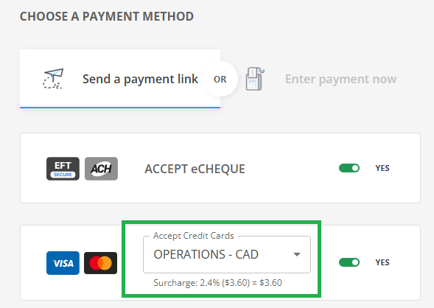
Processing fees (surcharges) help you recover the costs associated with payment processing by adding a fee to your transactions. When enabled for a payment gateway, these fees automatically apply to Recurring Payments created using that gateway.
NOTE: To activate and configure processing fees in your account, please see our detailed guide here: Processing and Surcharging Fees.
Adding Processing Fees
When creating a recurring payment (see Creating a Recurring Payment to learn more), it’s important to select the correct payment type that has processing fees activated and configured.
If your account has multiple gateways, make sure to choose the appropriate one for the transaction.
After entering the details of the recurring payment, customer information and amount, the processing fee configured for that gateway will be automatically added. This fee will be charged if the customer accepts and completes the payment using that payment type (if multiple payment options are offered for the request).
Waiving the Processing Fee
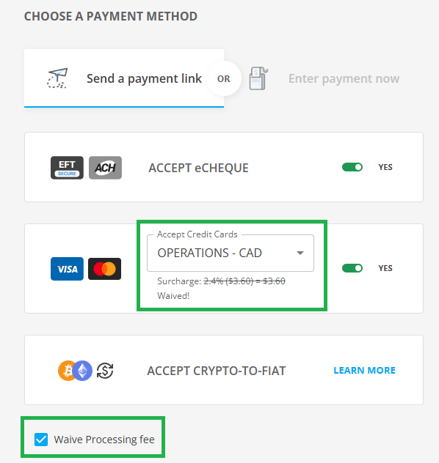
For any recurring payment where the processing fee applies, you have the option to waive the fee on a case-by-case basis. Before submitting the recurring payment, simply select the "Waive processing fee" checkbox. This will exclude the processing fee from that specific recurring payment schedule, allowing you to offer flexibility for special circumstances or promotions.
Waiving the fee ensures that the customer will not be charged any additional amount for that recurring payment, while all other recurring payments will continue to include the processing fee as configured.